Radio information system
Support included via Discord
Optimized, 0.00ms idle performance
Keep every radio channel organised. See who's tuned in at a glance — with callsigns, names, ranks and live activity — update channel descriptions on the fly, and customise the entire UI to fit your server's style.
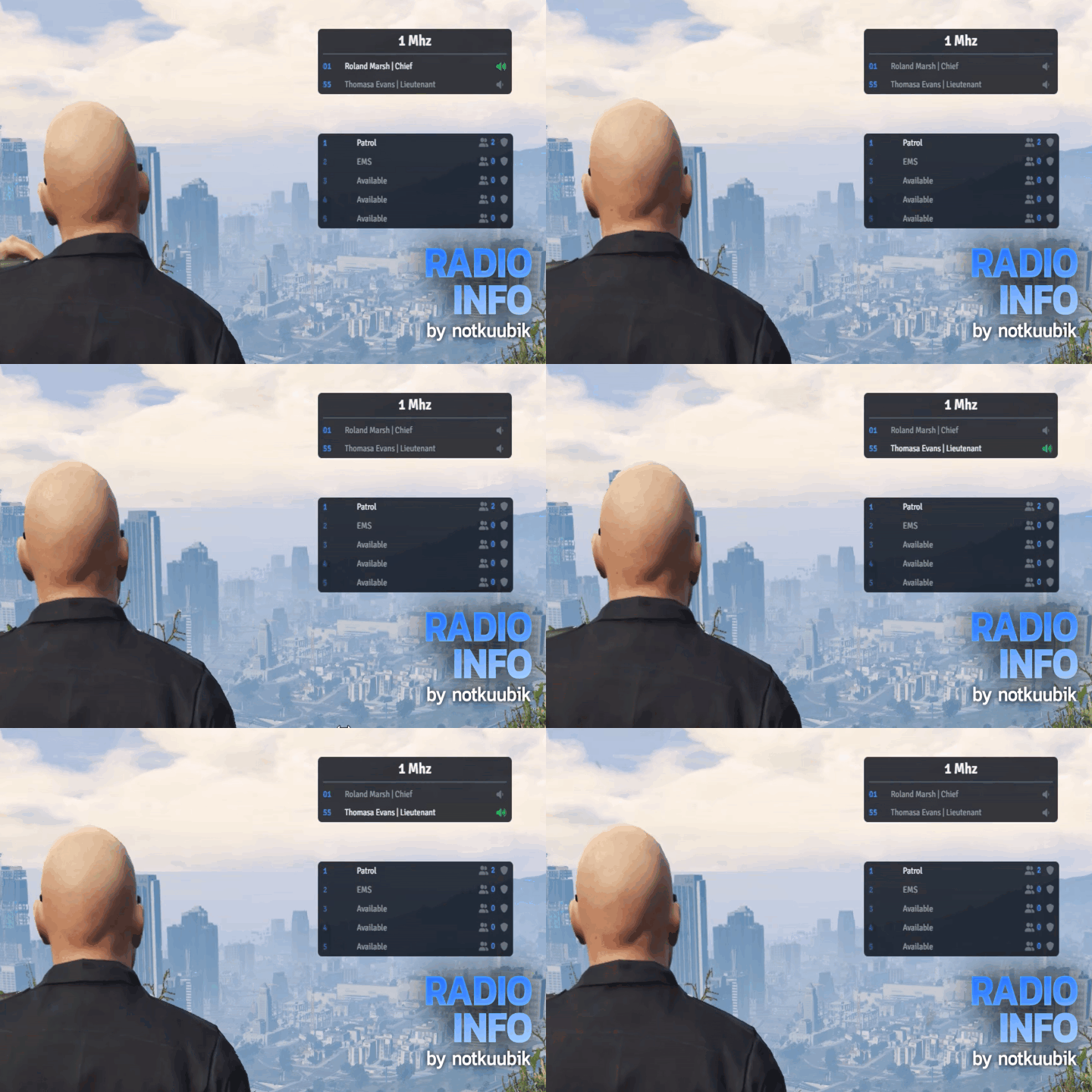
Channel Members
View the current members of your channel.
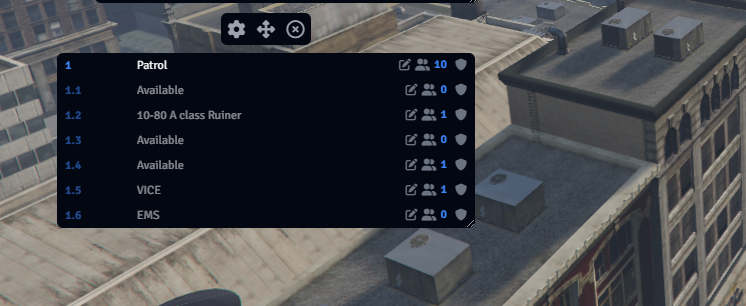
Descriptions
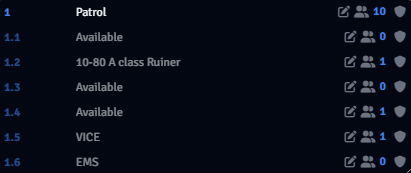
See how many people are on a frequency and quickly edit the channel description.
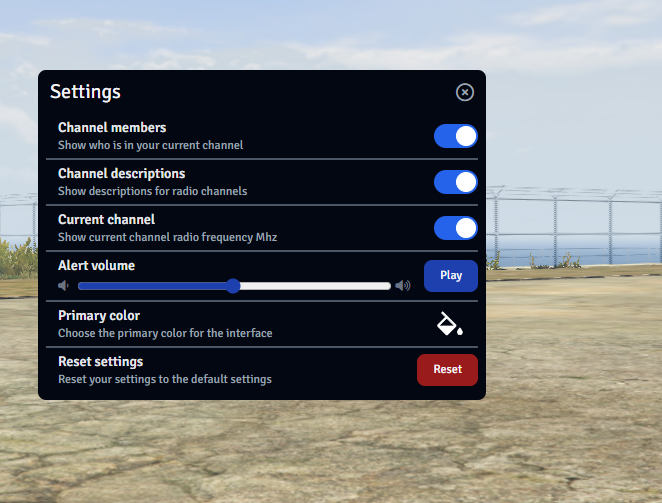
Settings
Customize by moving and resizing UI elements anywhere on the screen.
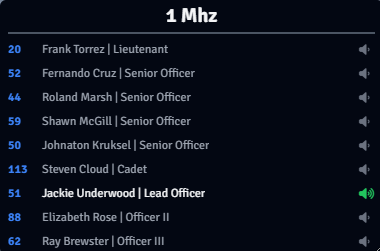
Channel Members
This feature lets you view the current personnel in your channel, along with their callsigns, names, and ranks. You can also see who is actively communicating on the frequency.
Channel Descriptions
Easily view the number of people on a frequency and quickly edit the channel description to reflect the current situation. You can join the frequency by simply clicking on the channel. In urgent situations, use the panic button to request additional units to the scene.
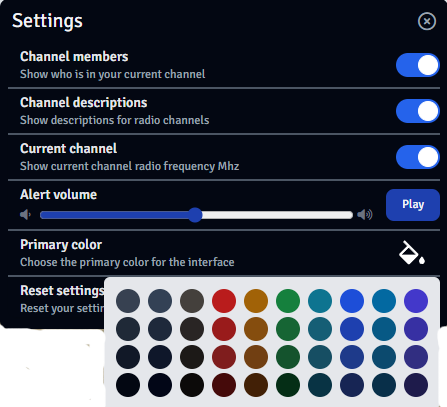
Settings
Customize by moving and resizing UI elements anywhere on the screen. In the settings, you can choose which information you want to display from the radio information system, adjust the audio level for the panic button, and even change the color of the UI to your preference.
 QBCore
  Qbox
Qbox  ESX
ESX  vRP
vRP  Standalone
  Custom
Built on pma-voice — works with any framework. Framework-specific functions are unencrypted and consolidated in one place for easy adaptation.